 how-to
Why Is Your Solar System Not Producing Power?
Last Updated: October 25, 2026
Quick Summary
Your system is likely down because of a tripped breaker, a faulted inverter, an offline monitoring gateway, or storm damage. Start with the free checks, then call for solar repair if a ground fault or arc fault code returns or you smell burning.
- Compare this month's electric bill to last year to spot a production drop.
- Reset a tripped solar breaker once; if it trips again, stop.
- A ground fault or arc fault code means a real safety problem, so call a pro.
- If the app is dark but your bill stayed low, only monitoring is down.
- The $149 Solar Rescue Assessment is capped at a 2-hour diagnostic.
Table of Contents
- Why Is Your Solar System Not Producing Power?
- Solar Panels Not Producing Power: The Usual Suspects
- Solar Inverter Troubleshooting: What the Lights and Codes Tell You
- Solar Monitoring System Offline: Is It the App or the System?
- Checking Your Solar System After a Storm
- Repair or Replace? Do the Age and Warranty Math
- When to Stop and Call a Solar Repair Pro in Port St. Lucie
- Book a Solar Rescue Assessment
- Frequently Asked Questions
Why Is Your Solar System Not Producing Power?
A solar system that stops producing usually has one of four problems: a tripped breaker, a faulted inverter, an offline monitoring gateway, or storm damage. At Florida Solar Pro in Port St. Lucie, we run solar repair calls on all four every week. Most start with a cheap check you can do yourself.
Below, we walk through what to look at, what the lights mean, and when to stop and call.
Start With the Cheap Checks
Before you touch anything, check these four things. They cost nothing and solve a surprising share of calls.
- Look at your electric bill. What to check: compare this month to last year. What you'll see: a jump back toward pre-solar usage. What it means: the system stopped producing, or production dropped.
- Open your inverter or monitoring app. What to check: last reported production time. What you'll see: a flat line or "no data" for days. What it means: the system or the gateway is down.
- Find your solar breaker in the main panel. What to check: whether it's tripped. What you'll see: a switch sitting between ON and OFF. What it means: reset it once. If it trips again, stop.
- Check the disconnect at the inverter. What to check: the AC and DC disconnect switches. What you'll see: one flipped off, often after a storm or a service visit. What it means: flip it back and watch for a restart.
Watch out: never open the inverter cover or pull the DC wiring. Those conductors stay live in daylight and carry dangerous voltage.
If those four checks come up clean, keep reading. The next step depends on what your equipment is telling you.
Solar Panels Not Producing Power: The Usual Suspects
When solar panels are not producing power, the panels themselves are rarely the cause. The fault often sits in the equipment between the panels and the meter. Here's where we look first.
- Inverter failure. The inverter converts DC to AC (Solar Integration: Inverters and Grid Services Basics). When it fails, production drops to zero.
- Microinverter or optimizer faults. One bad unit can drag down a whole branch of panels.
- Tripped breaker or blown fuse. Common after storms and grid events.
- Ground fault or arc fault. The system shuts down on purpose to prevent fire.
- Rapid shutdown trip. A safety device has activated and needs a reset.
- Shade or soiling. New tree growth or debris on the array.
- Monitoring gateway offline. The system works, but you can't see it.
Panels do degrade over time, and Florida's UV load is hard on them. But a sudden drop to zero is almost never a panel problem. It's a component problem.
Solar Inverter Troubleshooting: What the Lights and Codes Tell You
Solar inverter troubleshooting starts with the display. Every major brand uses light patterns and fault codes, and those codes point you to the cause before anyone opens a tool bag.
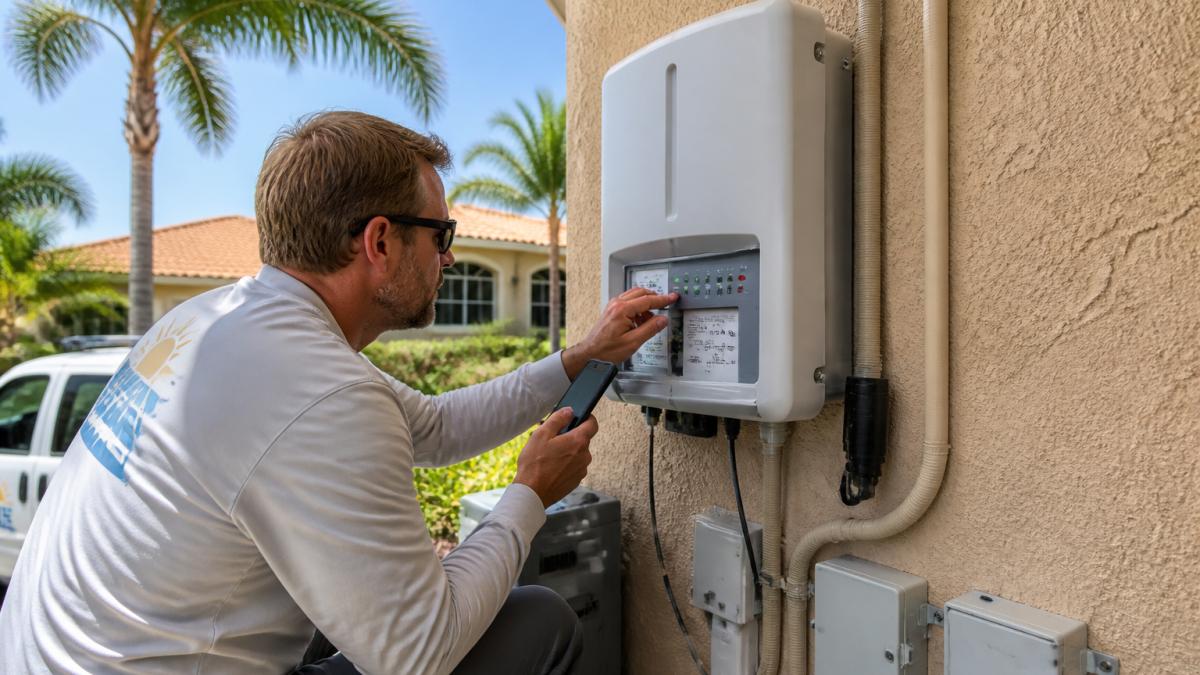
Here's what the common signals mean:
| Signal | Likely Cause | What It Means |
|---|---|---|
| Solid green light | Normal operation | System is producing |
| Flashing green | Starting up or low sun | Wait and recheck |
| Red or amber light | Fault code active | Read the code on screen |
| Blank display | No DC or no AC power | Check disconnects and breaker |
| "Grid fault" code | Utility voltage or frequency issue | Call your utility, then us |
| "Ground fault" code | Moisture or damaged wiring | Stop and call a pro |
| "Arc fault" code | Loose or damaged connection | Stop and call a pro |
Brand matters here. We're certified on Enphase, SolarEdge, SMA, Fronius, APsystems, Tesla and Generac/Pika, so we know each one's code set. A SolarEdge optimizer fault reads differently than an Enphase microinverter fault, and the fix differs too.
If your brand is on that list and you're staring at a fault code, our solar inverter repair service covers diagnostics and the fix.
Watch out: a ground fault or arc fault code is not a reset-and-forget. Those codes mean the system detected a real safety problem. Clear the code without finding the cause and it will come back, or worse.
Solar Monitoring System Offline: Is It the App or the System?
A solar monitoring system that goes offline is usually a communications problem, not a production problem. The panels may be making power the whole time while the app shows nothing.
Check these in order:
- The gateway or router. Most systems talk to your home Wi-Fi or a cellular unit. A router reboot fixes a lot of "offline" alerts.
- The app itself. Check the manufacturer's status page. Outages happen.
- The communication module. A small plug-in unit at the inverter. If it's unseated or dead, data stops.
- Your internet provider. A new router or changed password will knock a gateway offline.
How do you tell the difference? Look at your electric bill. If usage stayed low while the app showed nothing, the system is fine and only the monitoring is down. If usage climbed, the system itself stopped.
Either way, don't ignore it. A dead monitoring gateway hides real faults. We see systems that quit producing months ago and nobody knew because the app was already dark.
Checking Your Solar System After a Storm
Hurricane season runs June through November, and afternoon thunderstorms roll through most summer days. After any big blow, do a visual check from the ground.
- Look for lifted or missing panels. Don't climb the roof.
- Check the racking and roof straps. Look for pulled fasteners or lifted flashing.
- Look for water stains on the ceiling below the array. That means a penetration is leaking.
- Check the inverter display. A blank screen after a storm points to a surge or a tripped disconnect.
- Smell for burning. Any burnt smell means stop and call.
If you see damage, don't reset anything. Get eyes on it first. Our guide to emergency solar repair after hurricane damage walks through next steps and how to get help fast.
One more thing: storm damage and roof leaks at penetrations are the two calls we get most after a named storm. Both are fixable. Neither gets better by waiting.
Repair or Replace? Do the Age and Warranty Math
The repair-versus-replace call comes down to three numbers: the age of the system, the remaining warranty, and the cost of the fix against a new unit.
Run it like this:
- Find the install date. It's on your original contract or the inverter label.
- Check the warranty terms. Most inverters carry a warranty, and panels often carry a warranty on production.
- Check whether the warranty transfers. If your original installer closed, the manufacturer may still honor it. We handle warranty takeovers for orphaned systems.
- Compare the repair to a replacement. A $149 diagnostic tells you which side you're on before you spend more.
If the inverter is inside warranty, repair it. If it's past warranty and this is the second failure, replacement may be considered. If the panels are under 10 years old and the fault is one component, fixing the component is often the solution. If the whole system is past 15 years and parts are hard to get, planning for replacement may be necessary. Aging infrastructure often struggles to support modern energy demands, making it essential to evaluate whether your home requires electrical panel upgrades to ensure the system remains both safe and fully functional.
For a full picture of what else is due on an aging system, see our solar system maintenance timeline.
When to Stop and Call a Solar Repair Pro in Port St. Lucie
Stop and call when you hit any of these:
- A ground fault or arc fault code that returns after a reset
- A burning smell, scorch marks, or melted wiring
- Water intrusion at a roof penetration
- A system that's been dark for more than a few days with no obvious cause
- An installer who's gone out of business and left you with no warranty contact
- A home sale or insurance inspection that flagged the system
Solar repair in Port St. Lucie is what we do daily, and we cover Stuart and Fort Pierce on the same routes. If you're not sure whether it's worth a call, that's the call to make.
We're a family company. The owner answers the phone, the people who quote your job are the people who service it, and nobody in another state decides to close the local branch. That matters when the company that installed your system is already gone.
Our main solar repair service page shows what we cover and confirms your area.
Book a Solar Rescue Assessment
If your system is down and you want a straight answer, book our Solar Rescue Assessment. It's $149 flat, capped at a 2-hour diagnostic, and 100% credited toward a Service Protection Plan if you enroll within 30 days. You get a clear verdict: what failed, what it costs to fix, and whether repair or replacement makes more sense.
We're licensed under CVC56702 for solar, and we're certified on the major inverter brands. We serve Port St. Lucie, Stuart, Fort Pierce, and the rest of Florida's east coast from Brevard County to Miami-Dade, plus Okeechobee and Sebring.
Book a Solar Rescue Assessment and get your system diagnosed by the people who'll do the work.
Frequently Asked Questions
Why is my solar system not producing power?
The most common causes are a tripped inverter, a blown fuse or open breaker, dirty panels, shade from new growth, or a grid outage that shut the system down. Start at the inverter: check its display or app for an error code. If the inverter is dark and the breakers are on, the unit itself may have failed. That is when solar repair help is worth the call.
How can I tell if my solar inverter has stopped working?
Look at the inverter's lights. A solid green light usually means it is producing. A red or flashing light, a blank screen, or a code like a ground fault or arc fault means it has shut down. Check the AC and DC breakers first. If they are on and the unit stays dark, the inverter has likely failed and needs a licensed solar repair tech.
Can afternoon thunderstorms cause my solar system to stop producing?
Yes. Florida storms from June through November bring cloud cover that cuts output, and lightning surges can trip breakers or damage inverters. Most systems restart on their own once the grid stabilizes. If production stays at zero a day after the storm, check the inverter and breakers, then call a solar repair company if it stays down.
Is it better to repair or replace an older solar inverter?
Do the warranty math first. If the inverter is still under its warranty, a repair or replacement is often covered. If it is past warranty and more than 10 years old, replacement usually wins because parts get scarce and efficiency drops. A solar repair assessment gives you the age, warranty status, and a straight answer.
Your system stopped producing for a reason, and it's usually findable in an afternoon. Call Florida Solar Pro at 772-464-2663 and we'll tell you what failed, what it takes to fix it, and whether it's worth fixing at all.
Florida Solar Pro ·, Solar Energy Professionals, · 1930 SW Biltmore St, Port St. Lucie, FL 34984 · 772-464-2663 · Licenses CVC56702 · CPC1458189 · CAC1817178 · SCC131153056